
Ginja Guide
5 Notion Alternatives Worth Switching To in 2026
Published
Discover the top Notion alternatives for 2026. Compare features, pricing, and find the best productivity tool for teams, students, and planners.
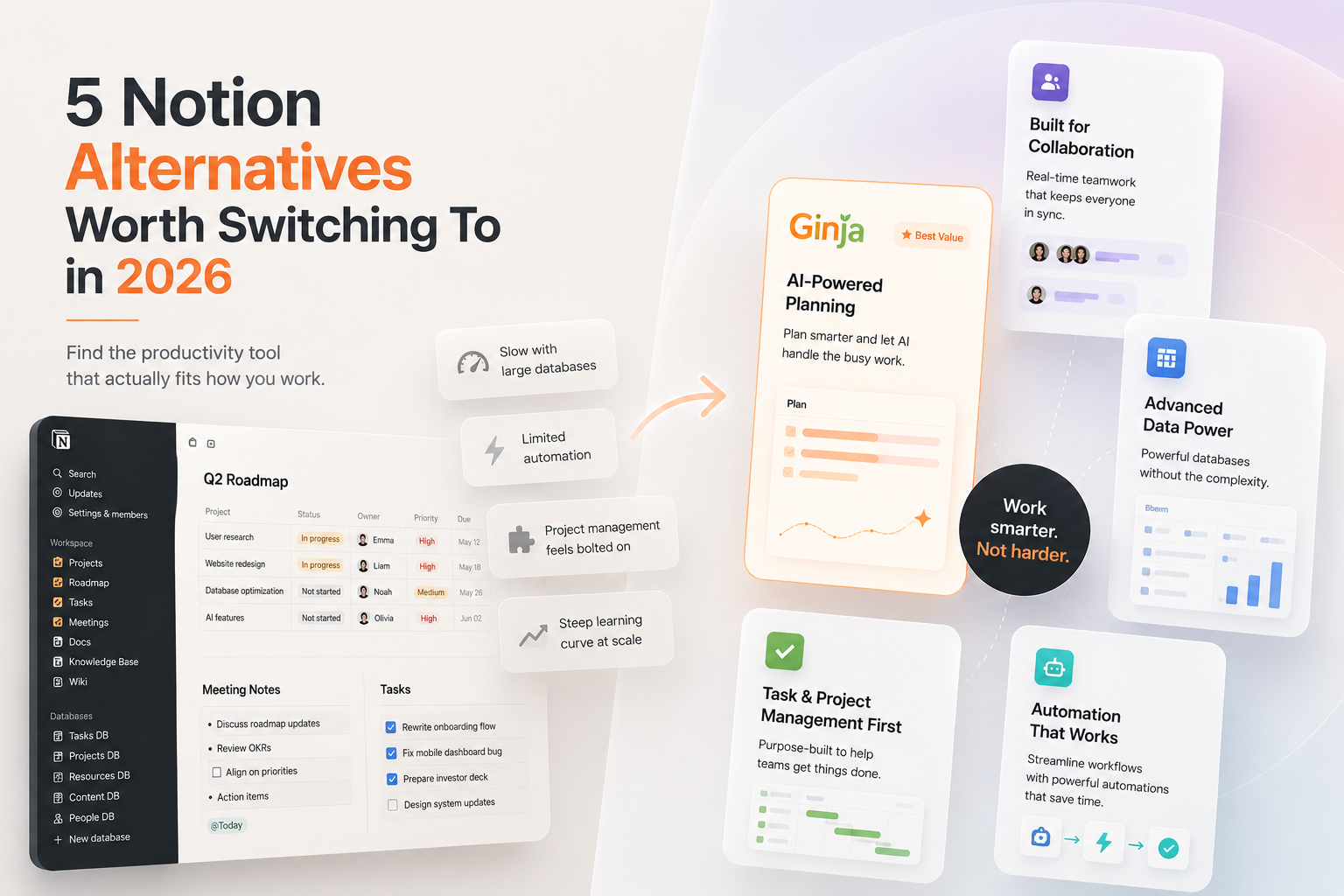
Notion reportedly reached 100 million users by 2026, making it one of the fastest-growing productivity tools in the market. That kind of scale is impressive, and yet, the search for Notion alternatives has never been more active. As your team or processes grow, Notion shows real limitations: performance issues with large databases, limited automation, native project management features that feel bolted on, and a steeper learning curve when scaling. If any of that sounds familiar, you are in the right place.
In my experience, the mistake most people make when switching is looking for a tool that does everything Notion does, only better. The smarter move is identifying the one or two things Notion fails you on, then finding a tool built specifically to solve those problems.
Key Takeaways
- Ginja is the best overall pick for overwhelmed planners and students: Ginja's Brain Dump feature lets users freely offload thoughts without worrying about formatting, then its AI system interprets the content and generates clear next steps, reducing the friction associated with planning. Start there if Notion's blank-canvas setup paralyzes you.
- Notion's AI add-on costs significantly more than most people realize: According to Relevance AI's Notion alternatives analysis, Notion AI costs $10 per seat per month on top of the $10-$24/seat regular Notion price, meaning a 20-person team pays $4,800-$8,160/year for AI features alone. If you are paying this, evaluate whether a purpose-built AI-native tool delivers more value.
- ClickUp wins on raw project management value: ClickUp's Unlimited plan at $7 per month per user delivers unlimited storage, integrations, dashboards, and Gantt charts at a price that undercuts every major competitor. If you need a full work OS for a team, this is your benchmark.
- The right pick depends on your primary frustration, not features: More features do not always mean a better fit. The right alternative solves your specific pain points without introducing new friction. Start with the problem you are trying to solve, then find the tool built to address it.
Quick-Start Prioritization Framework
| Tool | Best For | Effort to Set Up | Time to Results |
|---|---|---|---|
| Ginja | Overwhelmed working professionals, partners, individuals, students. | Very Low | Same day |
| ClickUp | Teams, complex project management | Medium-High | 1-2 weeks |
| Obsidian | Researchers, writers, privacy-focused | Medium | Days |
| Coda | Teams who outgrew Notion databases | Medium | 1 week |
| Slite | Teams needing a self-maintaining knowledge base | Low | Days |
Start here if you are:
- Feeling overwhelmed or mentally scattered: Ginja; it starts with your unstructured thoughts, not a blank page.
- Managing a growing team with complex workflows: ClickUp; it handles Kanban, Gantt, goals, and docs under one roof.
- A student or researcher who needs speed: Obsidian or Ginja, both have near-zero setup friction and free personal plans.
- A small company replacing a patchwork of wiki tools: Slite or Coda, both beat Notion on knowledge management at scale.
1. Ginja, Editor's Pick and Best for Overwhelmed Planners
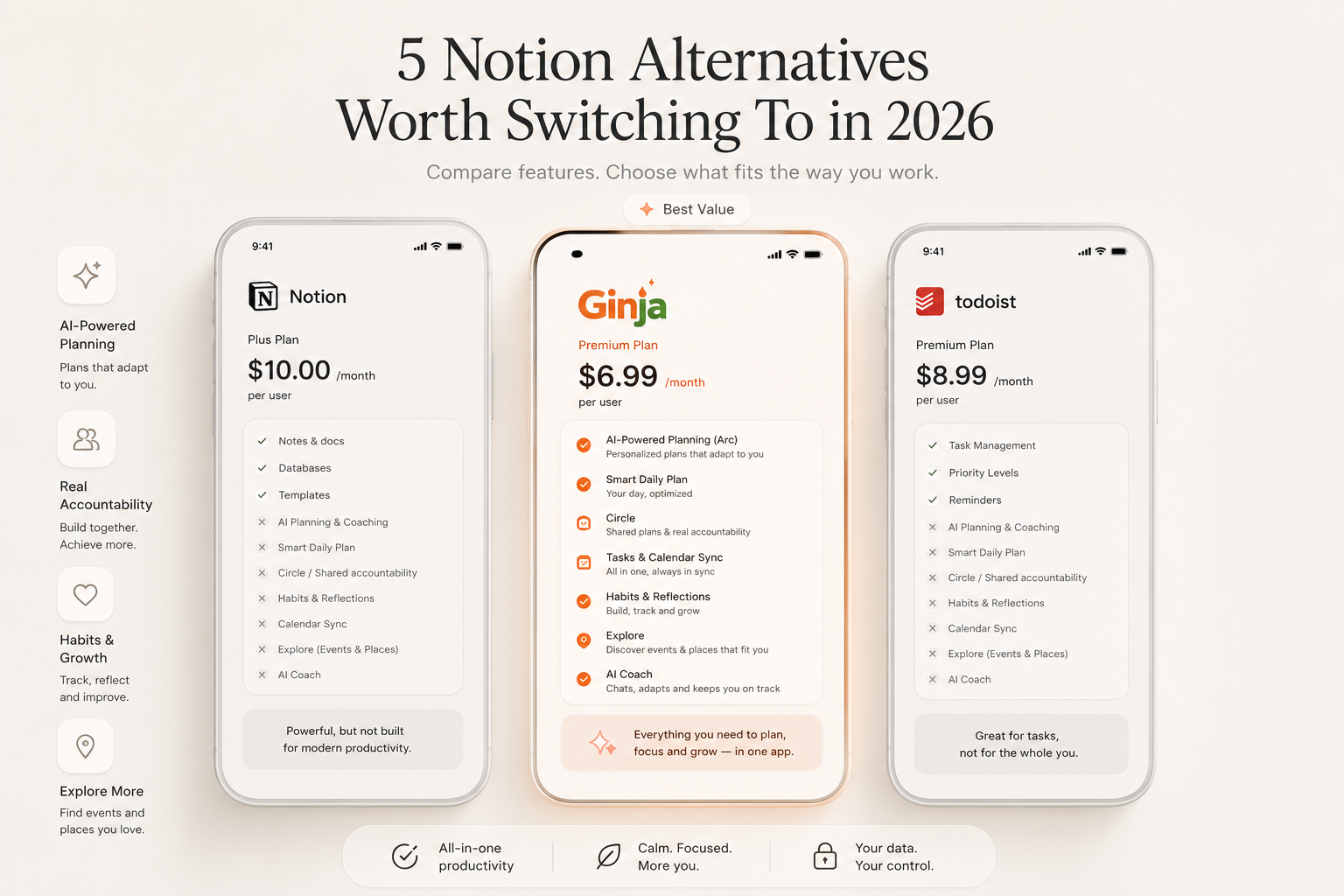
Best for: Working professionals, Partners, Students, individuals, and anyone who starts the day not knowing where to begin.
Ginja takes a fundamentally different approach from every other tool on this list. Where most apps ask you to organize yourself before you even know where to start, Ginja starts with the mess. It helps you capture what is on your mind, turn it into action, and build a day that actually fits real life.
What Sets Ginja Apart
Unlike traditional productivity tools that require users to manually structure tasks before planning, Ginja introduces a "Brain Dump" approach. "At the core of Ginja is the idea that productivity should begin where people actually are, not where software expects them to be," founder Emmanuel stated. The result is a tool that works for the moments most productivity apps ignore, when you are overwhelmed, unmotivated, or juggling too many priorities to think straight.
Ginja includes wellness check-ins that track your mood and adapt, pushing when you are ready and resetting when you are not. It also integrates with Google Calendar and Apple Calendar, allowing users to manage imported events and generated to-dos within a single interface. For Notion alternatives students specifically, this combination of low-friction capture and accountability features is a genuine differentiator. The platform attracted more than 600 users organically during its first month, with Brain Dump emerging as the most-used feature.
Pro Tip: Use Ginja's Brain Dump at the start of every day before opening any other app. Offload everything on your mind first, let the AI organize it into tasks, then open your calendar. You will start each day from clarity instead of chaos.
Pros:
- Brain Dump AI converts messy thoughts into structured action steps instantly
- Ginja ARC creates personalised plans that adapts to you.
- Circle feature enables lightweight group accountability for friends, classmates, or small teams
- Calendar integration with Google and Apple Calendar
- Currently free to use for basic features.
Cons:
- Younger product with a smaller template library than Notion
- Less suited for complex database-style project management
Pricing: Free
2. ClickUp, Best for Teams Needing a Full Work OS
Best for: Growing teams, project managers, and anyone replacing multiple tools with one.
ClickUp has evolved into far more than a task manager; it is positioned as an all-in-one "everything app" for modern work. From task tracking and collaborative docs to whiteboards, goal-setting, automation, and AI, ClickUp brings everything under one roof.
Where ClickUp Wins Over Notion
ClickUp offers unlimited customization, task automation, and relational views starting at $7/seat/month, handling complex workflows faster than Notion's slowing databases. It includes time tracking and reporting absent in Notion. For teams with more than five people actively managing projects, that is a meaningful upgrade.
Pros:
- Generous free plan with unlimited tasks and unlimited members
- Kanban, Gantt, timeline, and calendar views built in
- Time tracking and sprint reporting on paid plans
- Significantly cheaper than Asana at comparable feature levels
Cons:
- Wrong choice for teams who want to open an app and be productive on day one. Small teams with simple workflows will find the feature density overwhelming rather than empowering.
- Users frequently report confusion around the "members vs. guests" distinction, one Reddit user shared how their bill jumped from $150 to nearly $1,200 overnight because assigning a task to a contractor automatically converted a free guest into a paid member.
Pricing: Free forever plan; Unlimited from $7/user/month (billed annually)
3. Obsidian, Best for Researchers and Privacy-Focused Users
Best for: Students, writers, researchers, and anyone who wants full ownership of their notes.
Obsidian is a note-taking app that stores everything as Markdown files on your computer. While Notion is cloud-first with databases and team collaboration, Obsidian is local-first with networked notes and knowledge graphs.
The Case for Going Local-First
Many users find Obsidian's plugin ecosystem more robust, with over 1,000 community plugins. Notion has integrations but does not offer the same level of customization. For Notion alternatives for students who are building research libraries or long-form writing projects, Obsidian's offline-first approach means your notes are always available, never trapped behind a slow connection or a SaaS outage.
Pros:
- Free for personal use with no storage limits
- Works entirely offline
- Over 1,000 community plugins for deep customization
- Graph view visualizes connections between notes
Cons:
- No built-in real-time collaboration
- Steeper initial learning curve than Notion
- Sync across devices requires a paid add-on ($4/month)
Pricing: Free for personal use; Sync add-on from $4/month
4. Coda, Best for Teams Who Want Smarter Databases
Best for: Teams that have outgrown Notion's database limits and want more automation power.
Coda is an all-in-one collaborative workspace that integrates note-taking, task management, project management, document management, and team collaboration. It is probably the closest alternative to Notion in terms of note-taking features, but it has more advanced project management features and a shorter learning curve.
Coda's Pricing Edge
Coda only charges "Doc Makers", the people who create and edit docs. Everyone else is free. If you have 50 people but only 5 build documents, you pay for 5. Notion charges per seat. For growing teams, that model alone can justify the switch.
Pros:
- More powerful formulas and automation than Notion
- Two-way sync with Google Calendar, Slack, and other tools
- AI included on paid plans with no separate add-on cost
- More cost-effective pricing model for large teams
Cons:
- Documents can become complex quickly without disciplined structure
- Smaller template library than Notion
- Free plan has limited automation runs
Pricing: Free plan available; paid plans from $10/month per Doc Maker

Common Mistakes When Switching From Notion
The biggest switching error is copying your entire Notion setup into the new tool. Most people leave Notion because the system grew too complex, duplicating that complexity in a new app defeats the purpose. Start with the smallest useful version of your workspace and add structure only when you genuinely need it.
The second mistake is choosing based on features rather than friction. If you have spent more time designing your note system than actually using it, you are not alone. Thousands of students search for Notion alternatives every month because the tool's complexity gets in the way of what they actually need. Pick the tool that removes friction between you and the work, not the one with the longest feature page.
Frequently Asked Questions
What is the best free Notion alternative in 2026?
Ginja is the best free option for individuals who want AI-powered planning without the setup burden. Ginja is currently free to use while the product continues to evolve through user feedback. For students wanting a free local-first option, Obsidian is free for personal use and works entirely offline.
Which Notion alternative is best for students?
Ginja is the strongest Notion alternative for students because it requires zero upfront setup. At the heart of the platform is Brain Dump, which allows users to type or speak unstructured thoughts that the app's AI then converts into prioritized tasks, instead of forcing users into rigid systems, the tool begins with raw input and organizes it into actionable steps. For research-heavy students, Obsidian also earns a strong recommendation.
Is ClickUp really cheaper than Notion for teams?
Yes, in most cases. At $7/user/month, ClickUp's Unlimited plan is significantly cheaper than Asana Starter ($10.99) and Monday.com Standard ($9). Notion's Plus plan starts at $12/user/month. The caveat is that ClickUp Brain AI is a paid add-on starting at $9 per user/month, meaning a team wanting AI features on the Unlimited plan actually pays $16 per user/month, not $7.
Can I use more than one of these tools together?
Absolutely, and many people do. A common setup is using Ginja for personal daily planning and task management, while running ClickUp or Coda for team projects. Some people use Obsidian for personal notes and keep Notion for specific database-heavy projects. The key is being intentional about what goes where so you do not create chaos across multiple tools.
Sources
- Ginja Product Overview, Ginja. AI-powered Brain Dump and adaptive planning app. https://ginja.io/download
- Ginja Launches AI-Powered Productivity App, TechPoint Africa. Launch coverage and feature overview. https://techpoint.africa/brandpress/ginja-launches-ai-powered-productivity-app-that-turns-mental-clutter-into-action-and-support-collaboration/
- Notion AI Alternatives 2026, Relevance AI. Cost analysis and AI-native alternatives. https://marketplace.relevanceai.com/compare/notion-alternatives
Turn the next clear step into motion with Ginja.