
Ginja Guide
Why an All in One Planner Beats Juggling Five Separate Apps
Published
Stop wasting 4 hours weekly switching apps. Discover why an all in one planner boosts productivity and beats juggling separate tools.

Picture this: you open your day with a to-do app, check your calendar in a separate tab, fire up a note-taking tool to capture ideas, dip into a habit tracker, and then ping yourself reminders through a fifth app. By the time you've "organized" your morning, half an hour has evaporated, and you haven't done any real work yet. Sound familiar?
A Harvard Business Review study found that employees toggle between different applications and websites approximately 1,200 times per day, adding up to nearly four hours per week spent simply reorienting after each switch. Over the course of a full year, that equals roughly five working weeks of productive time consumed by nothing except moving between tools. If you're managing your life across a cluster of separate apps, the math is working against you. The solution is consolidation, and an all in one planner app is where that consolidation starts.
Key Takeaways
- App-switching is a hidden tax on your day: Chronic multitasking and frequent context switching can consume up to 40% of a person's productive time, so if you're juggling five tools, you're likely losing close to half your usable output to overhead. Audit your current app stack and eliminate anything you can.
- "Work about work" is the real enemy: According to Asana's Anatomy of Work Index, 60% of a person's time at work is spent on work about work and not on skilled work. Consolidating your planning into one place directly attacks this problem by cutting the time spent chasing your own tasks.
- The cognitive cost is physiological, not just logistical: Research from the University of California, Irvine found that after being interrupted, employees require an average of 23 minutes and 15 seconds to fully return to the task they were working on. Every app switch is a potential interruption. Fewer apps means fewer recovery cycles.
- App fatigue is a real, documented trend: 22% of users report feeling overwhelmed by the number of apps on their device and are actively seeking more integrated tools. You are not alone in wanting a simpler system, and the market is responding accordingly.
- Consolidation pays off quickly: Users typically see a 25% increase in task completion rates and report 40% less stress when using structured digital planning tools compared to ad-hoc methods. Start with one unified planner and measure your first two weeks.
Quick-Start Prioritization Framework
| Strategy | Best For | Effort Level | Time to Results |
|---|---|---|---|
| Switch to a single all in one planner app | Everyone starting fresh | Low | Days |
| Migrate calendar + tasks into one tool | People with two apps already synced | Low | 1 week |
| Consolidate notes + tasks + calendar | Power users with 3-5 fragmented apps | Medium | 2 weeks |
| Add time-blocking inside the unified planner | Anyone losing focus mid-day | Medium | 1-2 weeks |
| Full routine + habit + goal tracking in one place | Ambitious planners ready to go deep | High | 3-4 weeks |
Start here if you're:
- Feeling overwhelmed by app-hopping: Switch to a single all in one planner app first, fastest visible win.
- Losing tasks between tools: Migrate your to-do list and calendar into the same workspace before anything else.
- Already organized but still distracted: Add time-blocking inside your existing unified tool rather than downloading something new.
The Real Cost of Five Separate Apps
Most people don't add five apps to their life on purpose. It happens gradually: a calendar here, a habit tracker there, a notes app for random ideas, a to-do list for work, and a reminder app because the to-do list doesn't ping you loudly enough. Before long, you're maintaining five separate systems that each require mental bandwidth to navigate.
The Cognitive Tax Nobody Warns You About
Research shows that multitasking can impair cognitive abilities such as memory, focus, and decision-making, with task-switching costing up to 40% of a person's productive time due to the cognitive load of moving between tasks. That number compounds quickly across a working day. Every time you flip from your calendar to your to-do list to check whether they agree with each other, your brain pays a toll. Some research suggests that what appears to be a "quick" switch from a primary task can cost over two hours of distracted work before full cognitive engagement is restored, accounting for the "attention residue" effect where part of your mind remains anchored to the previous task even after you've nominally switched back. Therefore: every unnecessary app boundary in your productivity stack is a leak you can seal.
The "Where Did I Put That?" Problem
Six out of ten people said it was difficult to keep track of information flowing through different apps, and employees commonly spend 59 minutes each day just searching for information across different apps and data silos. That's nearly an hour per day hunting for something you already captured, just in the wrong place. App overload happens when tasks calendars, notes, and follow-ups live in separate tools, creating constant context switching and mental friction. The fix is structural: put everything in one place so there's only one place to look.
Pro Tip: Before downloading your next productivity app, ask one question first: "Does my current planner already do this, or could it?" If the answer is yes, skip the new download. Every additional tool you add creates another location your attention has to patrol.
What an All in One Planner App Actually Gives You
An all in one planner app combines the functions of a calendar, task manager, notes tool, habit tracker, and often a goal-setting workspace into a single interface. The headline benefit is obvious, fewer apps. But the real advantages run deeper.
One Source of Truth
App overload happens when tasks calendars, notes, and follow-ups live in separate tools, creating constant context switching and mental friction. An all in one digital planner works best when it combines tasks and time in a single, trusted system rather than just storing information. When your tasks and your calendar live together, you can't accidentally schedule a meeting over a deadline you've only captured in a separate tool. When your notes and your tasks live in the same system, action items don't get orphaned inside a document nobody reads after the meeting ends.
Eliminating Decision Fatigue at the Start of Every Day
Instead of making constant real-time decisions about what to do next, a good planner lets you front-load all those decisions into a single planning session, five to ten minutes, ideally the night before, looking at tomorrow's calendar, identifying your top priorities, and assigning them to time blocks. When tomorrow arrives, you follow the plan rather than constantly re-evaluating. Maintaining five separate apps means you have to synthesize information across all of them before you can even begin that planning session. A unified planner removes that synthesis step entirely.
Time-Blocking Made Frictionless
Time-blocking involves assigning specific time slots to particular tasks, which eliminates decision fatigue throughout the day. According to productivity research by Cal Newport, author of "Deep Work," time-blocking can increase focused work output by 50% or more. An all in one planner makes this effortless because your tasks and your calendar are already in the same view. Drag a task onto a time slot. Done. With a fragmented stack, you'd have to open your task app, identify a task, switch to your calendar, find a slot, and manually note the connection, hoping you remember to update both tools if plans change.
Pro Tip: Use your unified planner's calendar view every Sunday evening for a 10-minute weekly preview. Identify your top three priorities for the coming week and block time for each one before the week begins. This single habit eliminates most of the "Where do I start?" paralysis that fragments workdays.
The Five Apps You're Probably Using (And What to Replace Them With)
Let's be honest: most productivity stacks grow by accident, not design. Here's how the typical five-app cluster forms, and what a consolidated approach actually replaces.
The Typical Fragmented Stack
Teams now rely on an average of 10 or more tools just to manage daily workflows. There is an app for messaging, another for tasks, another for files, another for notes, and then there is email. For individuals, the same logic applies at a smaller scale: a separate app for each function feels organized in theory but creates chaos in practice.
The common five apps that people carry without realizing they overlap:
- A calendar app (Google Calendar, Apple Calendar)
- A to-do app (Todoist, Things, TickTick)
- A notes app (Notion, Apple Notes, Evernote)
- A habit tracker (Streaks, Habitica, Habit)
- A reminder or time-blocking tool (Reclaim, Fantastical, Structured)
An all in one planner app collapses most or all of these into a single workspace. A daily planner app helps you organize tasks, events, routines, and priorities in one place so you can plan your day realistically and stay focused. The most effective apps offer fast task capture, a clear view of your schedule, calendar integration, routine support, flexible planning styles, and helpful reminders. Therefore: before renewing any of those five subscriptions, check whether your chosen unified planner already covers the feature.
What to Look For in a Unified Planner
The more software your planner app can integrate with, the better, you'll still be able to work with the tools you already love, but on one software, reducing the amount of app-jumping required. At minimum, a strong all in one planner app should include calendar integration, task management with deadlines, note capture, recurring task automation, and cross-device sync. Bonus points for time-blocking views and goal tracking.
Pro Tip: Give any new all in one planner app at least five full days before judging it. The payoff from consolidation takes a few days to materialize, on day one, the migration feels like more work. By day five, the cognitive relief is noticeable.
Who Benefits Most from Consolidation
In my experience, the people who gain the most from switching to an all in one planner are the ones who've tried the most apps. The more tools you've accumulated in search of the "perfect system," the more likely it is that your real problem is the fragmentation itself.
Busy Professionals and Remote Workers
Microsoft's 2025 Work Trend Index analysis of trillions of productivity signals reveals that during core work hours, employees face a ping from meetings, emails, or chats every two minutes, over a full day, that adds up to 275 interruptions. Remote workers using five separate apps to manage their day are amplifying that interruption load rather than containing it. Every context switch between tools adds to the pile. Professionals with meeting-heavy schedules, incoming work from many channels, and shifting priorities benefit the most from consolidation.
Students and Self-Employed Individuals
I've found that students and freelancers are particularly prone to app sprawl, because there's no IT department limiting their choices. The freedom to install any tool becomes a liability when the stack grows to five, six, or seven apps. When we get tasks out of our heads and onto an organized system, we know exactly what we accomplish and what we need to finish, which helps increase productivity. A single trusted system delivers that clarity faster than any multi-app stack.
Anyone Experiencing "App Fatigue"
45% of workers said context switching made them less productive, and 43% said the constant shifting between tasks caused outright fatigue. Workers spend roughly 59 minutes per day simply searching for information trapped across various tools. If you recognize yourself in either of those statistics, consolidation is likely the highest-leverage change you can make right now, higher leverage than any new habit, technique, or optimization you could layer on top of a broken system.
Common Mistakes When Switching to an All in One Planner
After years of testing different systems, I've seen the same mistakes repeat every time someone tries to consolidate their productivity stack. Knowing them in advance saves weeks of frustration.
Mistake 1: Trying to Recreate Your Old Stack Inside the New App
The point of switching to an all in one planner is to simplify your system. If you spend the first week building elaborate databases and templates to replicate every feature of every tool you're retiring, you're defeating the purpose. Start minimal. Add complexity only if you genuinely need it.
Mistake 2: Keeping "Just One" Old App Running
Keeping even one old app running is enough to split your attention. If your habit tracker still lives in a separate tool, you'll find yourself opening it daily, and every open is a context switch that undermines the consolidation you're trying to achieve. Commit to the migration fully, or the benefits won't materialize.
Mistake 3: Judging Results in the First 48 Hours
Most users notice initial benefits within the first week, primarily reduced stress from having a clear view of their commitments. Measurable productivity gains typically appear after two to three weeks once planning becomes habitual. Give yourself at least two full weeks before evaluating. The cognitive relief from having one system takes time to register, partly because your brain has to unlearn the habit of checking five places.
How Ginja Approaches the All in One Planner Problem
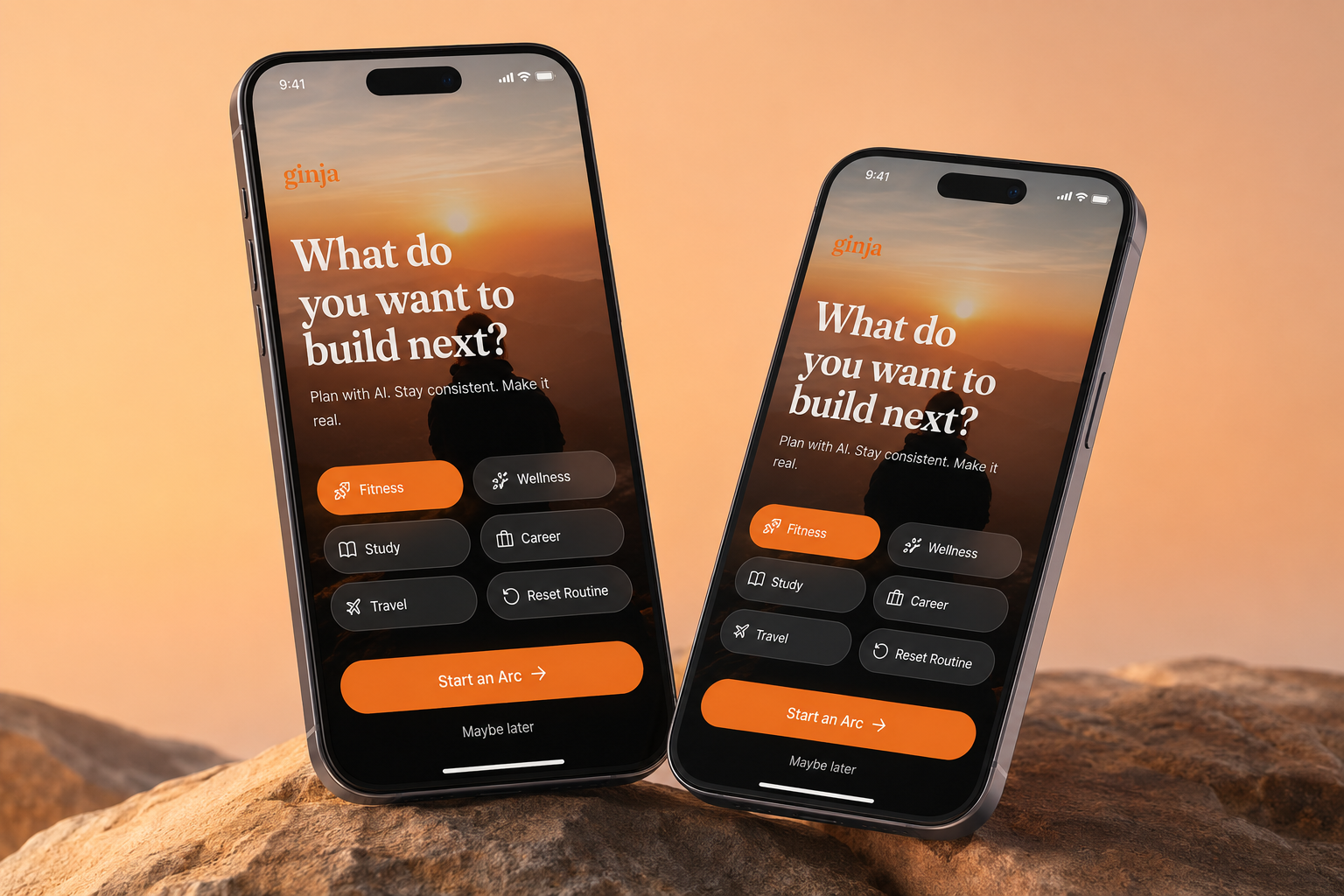
Ginja is built around the idea that your planning system should work as a single, cohesive workspace rather than a patchwork of integrations. Rather than forcing you to connect five apps and hope they sync correctly, Ginja brings tasks, scheduling, and daily planning into one place from the start. For anyone who's felt the friction of maintaining a fragmented productivity stack, that's the core value: one home for everything that matters today, tomorrow, and next week.
Frequently Asked Questions
What exactly is an all in one planner app?
An all in one planner app is a single application that handles multiple planning functions, typically tasks, calendar, notes, and reminders, within one interface. A daily planner app helps you organize tasks, events, routines, and priorities in one place so you can plan your day realistically and stay focused. The goal is to replace the fragmented habit of maintaining separate apps for each function with a single trusted system.
How long does it take to see real benefits after switching?
Most users notice initial benefits within the first week, primarily reduced stress from having a clear view of their commitments. Measurable productivity gains typically appear after two to three weeks once planning becomes habitual. Research suggests it takes an average of 66 days to form a new habit, so give yourself at least two months to fully integrate planning into your routine.
Is it hard to migrate from five apps into one?
The migration itself is usually straightforward, most good all in one planner apps allow calendar imports and quick task entry. The harder part is psychological: breaking the reflex to open the old apps. Set a firm cutover date, move your active tasks and upcoming calendar events, and delete or log out of the old apps on day one.
What if my team uses different tools than my all in one planner?
Most planner solutions integrate with other applications, whether it's a personal productivity app, a calendar app, or a business software product. You can typically sync a unified personal planner with shared tools like Google Calendar or Outlook without needing to manage your personal tasks inside the team tool. The personal planner becomes your cockpit; the shared tools feed into it.
Can an all in one planner app handle both personal and work tasks?
Yes, and handling both in the same place is one of the clearest advantages. With a planner app, you can lay out your schedule or tasks for a given time period and share them with your team, family, or friends, so everyone stays on the same page and is more aligned with organizational goals. When work deadlines and personal commitments live in one view, you stop accidentally double-booking yourself or underestimating how full a week already is.
The Bottom Line
Five separate apps feel like five tools working for you. The data says they're working against you. Workers toggle between an average of 10 different apps 25 times per day, and this fragmentation is a leading driver of the work-about-work epidemic. Every app boundary is a place where tasks fall through the cracks, where attention fragments, and where time disappears without a trace.
An all in one planner app doesn't just reduce the number of icons on your home screen. It reduces the cognitive load of managing your own system, which frees up mental energy for the actual work. An all in one digital planner works because it brings tasks, time, and priorities back into the same space. When everything that matters lives together, decisions become simpler and the day feels more grounded.
Start today: pick one unified planner, move your next seven days of tasks and appointments into it, and delete the apps it replaces. Give it two weeks. The cognitive relief will speak for itself.
Turn the next clear step into motion with Ginja.